
The Essential Role of Link Maintenance
The World Wide Web is an ever-changing entity, and it is essential to regularly monitor websites for broken links. Broken links can have a negative impact on a website’s traffic, user experience, and search engine optimization. This article will discuss the importance of monitoring broken links and some methods for doing so efficiently. Keeping track of broken links is essential for maintaining the quality of a website and preventing user frustration.
What are Broken Links?
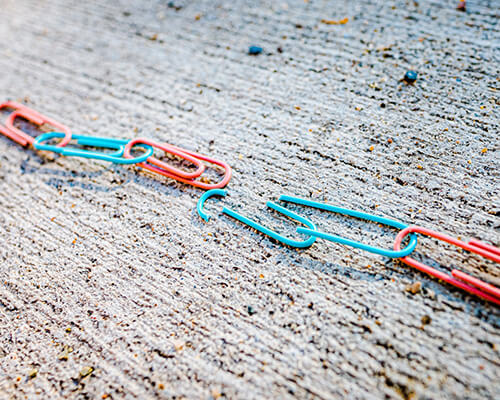 Broken links are a common issue in web design, and they can cause serious problems for your website. A broken link is simply a hyperlink that no longer works. This may be because the page it was pointing to has been removed, or because of a typo in the URL. Regardless of the cause, broken links can have significant negative impacts on your website’s user experience.
In addition to creating frustration for users who click on them, broken links can also negatively impact your SEO rankings. Search engines like Google prioritize websites that provide high-quality content and a positive user experience. Broken links signal to Google that your website may not be well-maintained, which can hurt your search rankings over time.
Fortunately, if you’re using WordPress as your website platform, there are several tools and plugins available that can help you identify and fix broken links quickly and easily.
How to Monitor
 Web design is a crucial aspect of any online business, and ensuring that all the links on your website work correctly is vital for maintaining the user experience. Broken links can harm your site’s reputation, reduce traffic, and negatively impact your search engine rankings. Thankfully, checking for broken links is relatively simple with the right tools.
For WordPress websites, there are several plugins available to help you scan your site for broken links. Some popular options include Broken Link Checker, WP DeadLinkChecker, and Link Checker. These plugins will automatically check every link on your website and notify you if they detect any broken links.
If you prefer a more manual approach to checking for broken links or don’t use WordPress, there are many free online tools available to help you out. Websites like Dead Link Checker and Broken Link Check offer quick scans of your website’s pages to identify any broken links.
How to Fix broken links
 While they are a frustrating experience for website visitors and can negatively impact your website’s search engine ranking, fixing broken links is a relatively simple process that can be accomplished in just a few easy steps.
The first step to fixing a broken link is identifying the problem. This can be done by using an online broken link checker, which will scan your website and identify any links that are no longer working. Once you have identified the problematic link, you can begin to take action.
The next step is to either update or remove the broken link. If the link refers to outdated content or a deleted page, it should be removed entirely. If the content still exists but has simply been moved to another location on your site, you will want to update the URL so that it points directly to the new location of the content.
How often to check for broken links
 The importance of checking for broken links cannot be overstated when it comes to web design. Broken links can be frustrating for users and can lead to a poor user experience. Additionally, they can negatively affect your website’s search engine rankings. Therefore, it is crucial that you regularly check for broken links on your website.
So how often should you check for broken links? It depends on the size and complexity of your website. If you have a small website with only a few pages, it may be sufficient to check for broken links once a month. However, if you have a larger website with many pages and frequent updates, it may be necessary to check for broken links more frequently – perhaps every week or even every day.
To make the process of checking for broken links easier, there are several tools available that can help automate the process.
An unfortunate common occurrence
Broken links are a common occurrence on the internet, and they can be detrimental to businesses if not addressed promptly. Website owners should be proactive in eliminating these roadblocks by checking for broken links regularly, using tools to find them quickly and easily, and replacing them as soon as possible. Additionally, website owners should also practice good link hygiene by periodically checking for outdated information or content that no longer applies.








