It’s in good hands

Your website shouldn’t just say you’re trustworthy, it should show it. From testimonials and portfolios to case studies and real team photos, the right elements help visitors feel confident reaching out. Learn how small changes to your website can build trust, reduce hesitation, and reassure people that they’re truly in good hands.

Ways Your Website Can Prove You’re Trustworthy

Each year, my wife and I have a couple of Christmas movies we always watch. One of them is Home Alone. Early in the movie, Marv shows up at the McCallister house posing as a police officer. He calmly tells the family, “Don’t worry about your home, it’s in good hands.” Of course, he was already scheming to rob them blind.

For businesses, not just the Sticky Bandits, trust is everything. Especially online. Your website is likely your introduction and your proof, all rolled into one. 

Saying “you’re in good hands” is easy. Showing it takes more intention. 

People want to feel safe and confident. They want to be reassured that they can trust who they’re dealing with.

Here are four of our most recommended ways to build and show trust directly on your website.

Testimonials

If you say something great about your own business, it’s just a marketing line. That’s because it is. But when your clients say something great about working with you, it carries real weight.

Testimonials help visitors answer a key question in their head: “Has this worked for someone like me?”

The strongest testimonials are specific. They mention the problem, the experience, and the outcome. They’re even better if connected to real people or real businesses. First names, company names, photos, and links go a long way in making testimonials feel genuine and not generic.

Whenever possible, connect testimonials to the work you did. Include a link to a portfolio item, a project page, or a case study about that exact project. That simple extra step helps visitors see the full story, not just a quote pulled out of context.

Portfolio

Saying you do great work is one thing. Showing it is another.

A portfolio lets visitors visually confirm what you’re capable of. It helps them picture what working with you might look like. For many businesses, especially service-based ones, this can be the difference between someone staying on your site or moving on.

Before and after examples are especially powerful. They clearly show progress and improvement. They also help prospects understand the value of your work without needing a long explanation.

Your portfolio does not need to be massive. It just needs to be honest, current, and relevant to the kind of work you want more of. A few strong examples beat a large collection that no longer reflects what you do today.

Case Studies

Sometimes the work you do needs more explanation. That’s where case studies shine.

A good case study will walk a prospect all the way through the situation, the challenge, and to the solution. It shows your thinking, your process, and how you handle real-world problems. Case studies can be really helpful if your service is technical, layered, or hard to comprehend from the outside.

Case studies help build trust because they slow things down. They show that you know what you’re doing and that you’ve done it before. They also help the right clients self-identify. If someone reads a case study and thinks, “That’s exactly what I’m dealing with,” you’re already halfway there.

Team Photos

People want to buy from people. Not logos. Not vague company names. Real humans.

Including photos of your team helps visitors make a connection. It puts faces to names and adds personality to your business. It also subtly reassures people that there are real professionals behind the service.

Your team photos do not need to be fancy or overly polished. They should be clear, friendly, and accurate. Authentic beats perfect every time. When someone can see who they’ll be working with, it reduces hesitation and builds comfort.

Trust is not built with one element alone.

It’s built through consistency.

When testimonials, portfolios, case studies, and team photos all support each other, your website starts doing something important. It removes doubt. It answers questions before they’re asked. It quietly reassures visitors that they’re in good hands.

That feeling is what moves someone from browsing to reaching out.

A light check worth doing is this: if someone landed on your site for the first time today, could they quickly see proof that others have trusted you and had a good experience?

If not, that’s an opportunity. And it’s one of the most valuable improvements you can make to your website.

If you’re unsure how well your site is doing this, it never hurts to take a second look. Sometimes a few small changes can make a big difference in how trustworthy your business feels online.

Ready to discover how we can help make your website and marketing more successful?
Contact Us

Marketing Made Simple

Insights from Full Scope Creative

Our thoughts on website design, graphic design, marketing, SEO, website hosting, branding, business management, and more here in the Full Scope Creative blog!

Insights, Tips, and Strategies for Small Business Success

Our blog is packed with expert advice on website design, SEO, marketing, branding, and more. Whether you’re looking to improve your website’s performance, boost your online presence, or streamline your business’s digital strategy, you’ll find valuable insights and actionable tips right here.

Small business owner editing a website with Elementor while comparing elementor vs squarespace platforms.

Elementor vs Squarespace

Trying to decide between Elementor and Squarespace for your website? Both platforms can build a working site, but they offer very different levels of flexibility. This guide explains the key differences in design, features, SEO tools, and ownership so small business owners can choose the platform that fits their long term goals.

Read More »

Defender for Microsoft 365

Small businesses rely on email every day, but email is also one of the most common ways cyber attacks start. Defender for Microsoft 365 helps protect your inbox by scanning messages, links, and attachments before they reach your team. Think of it like a security guard for your email, helping block dangerous messages before they cause problems.

Read More »
Elementor page builder open on a laptop showing the visual editor used to design a WordPress website

What Are the Disadvantages of Elementor?

Elementor is one of the most popular page builders for WordPress. It gives designers a visual way to build pages and layouts without writing code. But like any website tool, it has some drawbacks. In this article we look at the disadvantages of Elementor, including page speed concerns, learning curve issues, and why proper hosting and setup make a big difference.

Read More »
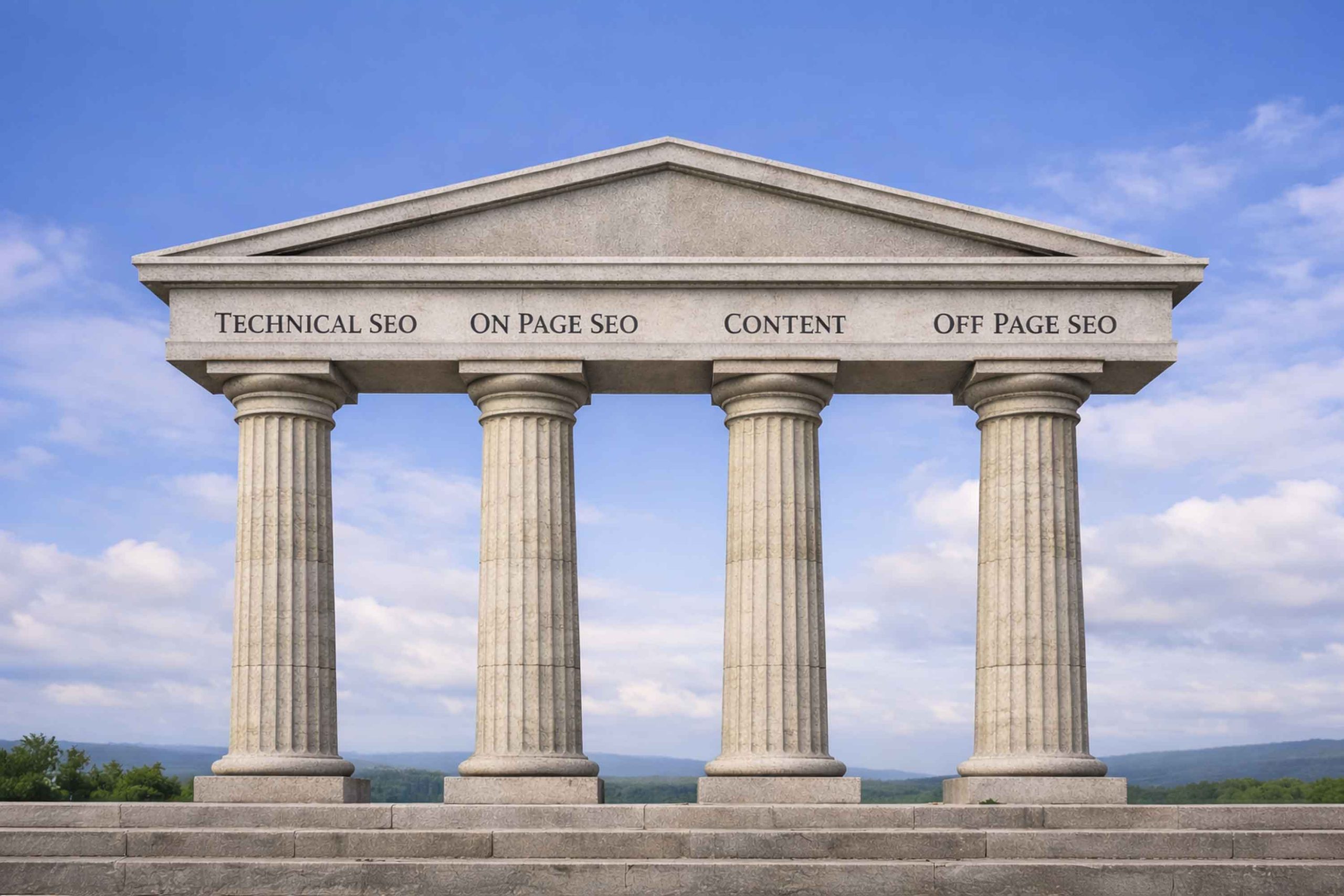
Four stone pillars representing the four pillars of SEO: technical SEO, on page SEO, content, and off page SEO

What Are the 4 Pillars of SEO?

SEO can feel confusing for many small business owners. In reality, strong search rankings usually come from four main areas working together. In this article we explain what the four pillars of SEO are and why Technical SEO, On-Page SEO, Content, and Off-Page SEO all play an important role in helping your website show up in Google search results.

Read More »

Is Wix Easier Than Elementor?

Many small business owners wonder if Wix is easier than Elementor. Both platforms let you build a website without coding, but they work very differently. In this article we compare the two platforms, look at ease of use, SEO capabilities, and long term flexibility, and explain why many businesses ultimately choose WordPress with Elementor.

Read More »
A user doing a google search.

Local SEO Vs Organic SEO

Local SEO Vs Organic SEO is a question many small business owners ask. Both help your website appear in Google search results, but they work in different ways. One focuses on local searches and map listings. The other focuses on website pages and content. This article explains the difference and why most businesses should use both.

Read More »
Homes listed on a website. You'll need an IDX plugin to do this on WordPress. Full Scope can help with that!

IDX Real Estate WordPress Plugin

An idx real estate wordpress plugin lets you show MLS listings on your own website. There is no free way to pull listings into WordPress, so you need the right tool. We use and recommend Showcase IDX. It connects to your MLS, keeps listings updated, and turns your site into a real marketing asset.

Read More »

Do Real Estate Agents Need a Website

Do real estate agents need a website if they already use Zillow or Realtor.com? Those platforms help, but they are not yours. Your own website gives you control over branding, SEO, and lead capture. It becomes a real business asset that grows with you and supports your long term success.

Read More »

Shared vs Dedicated Hosting for SEO

Does shared hosting hurt SEO? Does dedicated hosting help rankings? The truth is simpler than most people think. Google does not rank websites based on server type. It ranks them based on performance. In this article, we break down what actually matters for SEO and how hosting should support your growth, not replace real strategy.

Read More »
Ready to discover how we can help make your website and marketing more successful?
Contact Us

Chris and his team at Full Scope Creative are the best! I have worked with Chris on two different projects. The first project was updating a website and the second project we started a website from scratch. Both are incredibly challenging without the knowledge and expertise of someone like Chris, but Chris and his team made the process exciting with all of his great ideas. Great ideas, responsive, quick turnaround time. Thank you, Chris for being so kind and so great at what you do!

~ Sarah Lueschow,
MHO Open, Inc.