
IN THE WORLD OF WEB DESIGN…
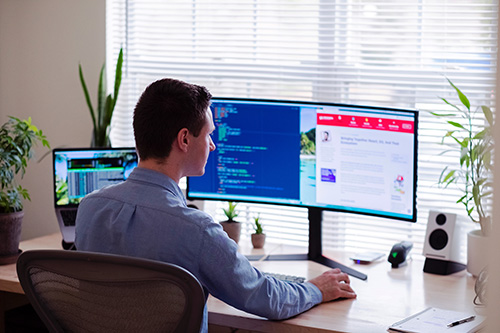 …You have the person crafting the design with stunning visuals and creativity (as well as strategy and so forth) and the person setting up the design with a bunch of numbers and rigid mathematical programming. Website design is not something that needs to be rigidly understood. There’s a method, but it’s not impossible to get lucky by throwing certain things together. That is simply not the case on the web development side. In web development, you have to literally learn the language of the computer: the code, and how each code elements work together. Naturally, these elements clash a lot given that there is a disparity in understanding. It’s like having an artist and a mathematician work together. The designer may say “Oh that element would look really nice there on this webpage!” but then is faced with the reality check of the programmer saying “Yeah… that’s not physically possible because of this and this and mathematical stuff”. This disparity of understanding can lead to a lot of mishaps, and the barrier can’t ever fully be closed because of a form of language gap (literally).
So now after reading that you may be thinking “Great, but what does that have to do with WordPress? You literally put ‘WordPress’ in this article title and haven’t mentioned it once”.
Well, dear reader, that first paragraph alone lists the biggest issue in the website design and development world, and it is this issue that Elementor helps to resolve. So why do I, as a website designer, love WordPress? Well… there are a lot of reasons, but the greatest is that it helps me have a clearer way to communicate and understand the mathematical side of websites.
WHAT IS WORDPRESS
Before we get into everything, let’s just ensure that we are on the same page by first discussing what the heck WordPress even is. Well, it is basically a sort of website builder. It’s also the website builder we build all our websites with. The very website that you are looking at was built with WordPress.
But maybe that doesn’t tell you too much. What is a website builder? Well, all websites have a beginning, they have a designer deriving the concept of the website and you have the developer putting the design together. They do that with code and often with means to assist in making it simpler. Perhaps you have heard of website builders like Squarespace, Wix, or GoDaddy– I’ve used several honestly, but my goodness was I disappointed.
All of the websites crafted by Squarespace or Wix or GoDaddy look the same and are very forgettable. I’ve tried making mine unique– but it was often difficult and way too rigid. There were so many things that I couldn’t do. Essentially it was oversimplified to the extent that I couldn’t get what I wanted out of the web builder. I have heard that you could upload your own original code to modify the website in a more unique way, but I can’t code! I want more options! I want to be able to do more!
Enter WordPress.
It is one of the leading website builders for a reason. It works with you depending upon your level, whether you are a beginner, intermediate, or advanced it has an option for you. No, I’m serious, if there is something that you want for your website it will have an option for you, and that is because it offers a whole lot of plugins.
WORDPRESS’ HOLY GRAIL OF PLUGINS
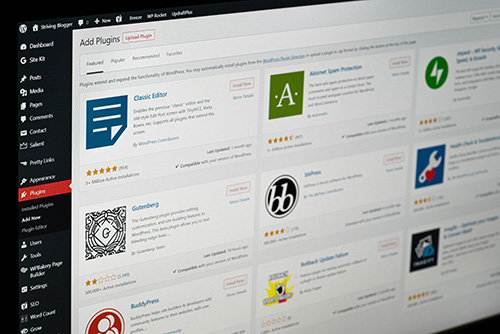 Plugins are basically apps that can be bought or used for free on WordPress. I could go into great detail about how there are different plugins for certain website building styles, or go on and on about plugins that simplify the most difficult coding tasks that exist and allow for a vast amount of customization– but what I really just want to talk about is the one thing that has made creating a website so incredibly awesome for a web designer like myself, and that is none other than the Elementor plugin.
See, WordPress on its own allows you to build code on its website, so you’d need to understand coding languages like HTML, CSS, and some Scripting. But with Elementor, it allows you to do something you can’t do with coding: drag and drop things. There are other plugins on WordPress that you can do that with, but what makes Elementor so great is that it has the right amount of complexities and simplicity to work with you regardless of skill level.
Are you a beginner and know nothing about websites? No problem! Just use our basic options. Intermediate and want to make a more detailed website? Spectacular! Try our advanced options. Oh, you’re an advanced website developer and can code along with all the bells and whistles? Well, I can make things easier and you can add all the customizations you want!
Our favorite saying is that if you can order a pizza online and use Microsoft Word, then you have all of the skill levels needed to use WordPress and Elementor.
This in and of itself is the reason why Elementor is so well suited for building a complex website. So many website builders do not allow you as much freedom when it comes to creativity, which is what ultimately causes so many websites to look exactly the same.
THE DESIGNER BECOMES THE DEVELOPER
 When it comes to crafting a website, one of the most difficult things is attempting to overcome the barrier that exists between the designer and the developer. The designer has one idea in mind and the developer cannot read the designer’s mind! So they do their best. But this often causes issues like the exact number of pixels that should be under an image or text. But then there is also the factor that a developed site is going to appear differently from the initial design which may cause the designer to want to play around with ideas to correct something that suddenly looks different from how they first envisioned the design.
Or perhaps there are additional sections that the designer has and would like to add. There are so many factors that would make it so much simpler if I could just add it to the website myself– oh, what’s that WordPress? I can do that?! As I said, Elementor has a lot of options for people who aren’t developers, and as a result, I am able to correct certain corrects without having to say “That needs 20 pixels of space… no that doesn’t look right, make it 15 pixels, no make if 40 pixels–”
Now I can just figure it out for myself! I have the freedom to do that. Or I can drag and drop elements. I can switch out images that I don’t like–
Which also means that you can too!
BRIDGING GAPS BETWEEN DEVELOPERS AND DESIGNERS
 Sometimes the reason why you may appreciate something is so that you can have a greater understanding of what someone is going through. Such is the case for designers when using WordPress.
In all honesty, it isn’t always sunshine and roses. WordPress, if you want to use more advanced options, can be pretty complex. If this is happening with just a website builder, then how much more complicated must it be with code?!
But more than even that, WordPress basically offers a visual representation of what coding is. Therefore, I am able to truly see the extent to which website design has limitations. This allows me to work more cohesively with a website developer. In addition, this also allows me to make all of the visuals, while the developer can focus more on the backend like animations and other boring stuff that I have the hardest time understanding.
WORDPRESS MAKES LIFE EASIER
Overall, bridging the gap between developer and designer makes all the difference. It makes a more seamless website construction experience. That in and of itself makes it worth it. That and it allows our clients to have some freedom when trying to edit their website.
It’s a win-win overall. So, if you are in the market for a new and improved website, and all of this is speaking to your needs, especially after learning that you can have a bit of creative freedom to update your website if you so choose (we can also make those updates) then chat with us at Full Scope Creative!








