
WordPress and SEO
When you speak to anyone who uses writing as part of their daily routine, most are aware of WordPress. For those of you who may know the name but not aware of the potential it can bring, let’s have a conversation.
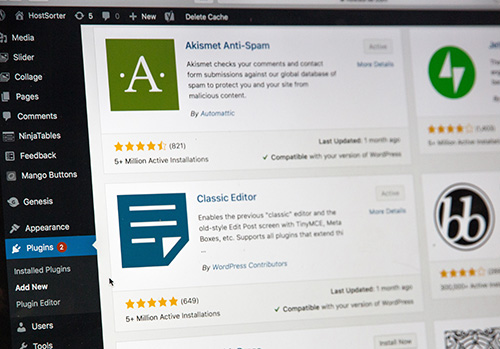
First things first. What is WordPress? In layperson’s terms it’s a place where you can go on your website to maintain your website’s content. This also includes images (videos, pictures, etc.), your designs, and how they function.
You could say it’s an operating system for your website. Getting to more specifics I am going to quote Karol K, who wrote a blog called, WordPress Beginner Friendly Explanation. In this blog she said the key things to know about WordPress are:
- It’s a Content Manager System (CMS). This gives you all the tools you need to write and edit.
- It’s like working in Word or in a Google doc.
- WordPress is a piece of software, meaning you still must install it on a web server.
- You don’t need to know any coding language…Yay!
- WordPress is free. Go to the official site and download it.
- It is open source. That means anyone can look into the source code, review what’s happening, and even modify should they choose.
Historical Points of Reference
WordPress began in 2003 a collaboration between Matt Mullenweg and Mike Little. Initially WordPress was meant to be a blogging platform. It truly was born, I believe, out of frustration. You see there was an already existing software blogging platform, which was discontinued by the main developers.
 Enter Mellenweg and Little. They decided to build a new platform on top of the old one and you could
say…the rest was history. What these two didn’t realize was how they created a new system that would eventually benefit users worldwide.
What made it different was a new admin interface and new templates. Then it mushroomed into allowing users to develop and add their own plug-ins and share. In short, this functionality changed how we looked at blogging or any writing today.
WordPress continued to grow and expand its wings. In 2005 alone WordPress increased by adding WordPress 1.5 and then later that year to 2.0. 2.0 was interesting as it allowed users to add categories and tags to posts without having to leave the post editor or needing to delete comments. The History of WordPress from 2003 – 2022 (with Screenshots) (wpbeginner.com)
Year by year WordPress kept improving, adding, or modifying the initial program. Even with the Covid years, WordPress released versions 5.4 through 5.7. Today, in 2022, a more new and improved editing solutions will be forthcoming with WordPress 5.9. (The above website sited on January 5, 2022. It is now July, so I’m sure WordPress 5.9 is out there living among us).
Does WordPress lend itself to a variety of websites?
 In a word, yes. WordPress is popular because it is adaptable in oh so many ways. For example, the following is a list of types of websites that can use WordPress:
- Blogs
- Business websites
- e-Commerce stores
- Portfolio websites
- Social networks
- Magazine websites
- Resume websites
- Forums
- Membership sites
- Online education platforms
- Any combinations of the above
As I mentioned above, WordPress is versatile and able to fit almost any format (I say “almost” because you never know when this or something better comes along). What Is WordPress? A Simple Beginner-Friendly Explanation! (wpchestnuts.com)
What About WordPress Wanna-be’s?
Sure, other operating systems out there, but just how popular are they next to WordPress? Well, to answer that question I need to bring out the stats. According to Themeisle’s resident contributor, Karol K, “WordPress runs 42.9% of all websites. For comparison, the second most popular website platform is Joomla. Joomla is used by less than 3% of websites.” What Is WordPress & What Is It Used For? Beginner’s Guide (2022) (themeisle.com)
So, I would venture to surmise that WordPress is a big deal. What do you think?
Why Is There a WordPress.org And a WordPress.com?
Without getting into too much web-speak, let’s say there is a good reason to have separate entities. WordPress.com is for those of us that want to use WordPress as a software but without all the hassle of being a techy person.
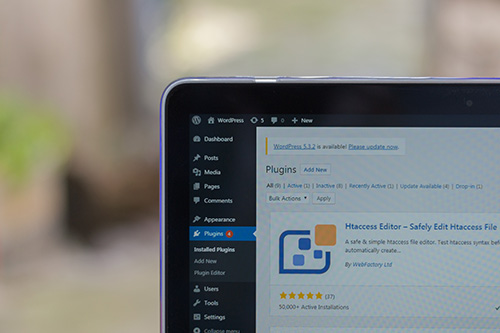
When you use WordPress.com you need to open an account, make a user profile, and then use the “simplified version” that is pre-installed on the platform’s server. In other words, it is commercially built on top of the WordPress software.
WordPress.org, on the other hand is the “official” home of the WordPress open-source software. This is where you go to download the software, the themes, and the plug-ins. Like any piece of software, you will need to download it onto a web server. Then you will need to configure it to your specifications. What Is WordPress & What Is It Used For? Beginner’s Guide (2022) (themeisle.com)
So, which is better to have? I hate to disappoint you, but the jury is out on that. If you are in the purist category, then go the “.org” route. You get it all, but at a price. That is the time and energy that you must expend, and it could include…dare I say it…some coding? On the other side of the coin, by going the WordPress.com route, all is provided (once you sign up for a user account). After that you’ll be able to build your website by following the prompts on the page.
My Take on WordPress
I have to say over the years, WordPress has grown on me. When I first started using it, like a baby learning to walk, I did stumble and fall. With time and more experience, I came to appreciate the power of the Word…so to speak. What it does for me when I write is allow me to go to numerous places and/or do numerous things without leaving my original doc. So, yes, I am a fan and until something better comes along, well, it’s WordPress all the way.

So, getting back to the original question is WordPress good for SEO? No not just good but, Great! I already told you that it’s easy to add content to, but for SEO it is blessing. However, the caveat here is you really need to know how to use it properly. I only say this because WordPress is a tool. If not applied properly, like we do at Full Scope Creative, you might not have quite the experience you are expecting.
How do I know this? Well, according to seobility (Tested: Is WordPress Good For SEO In 2022? – Seobility Blog) they tested WordPress against other CMS systems. Their findings are as follows:
- On page experience “A” (on mobile friendly and HTTPS)
- On-Page SEO Control “A” they scored 21/21
In their summarization Seobility stated, “There’s nothing you can’t do to optimize your WordPress site.” They went on to say that WordPress has everything you would ever need to optimize, plus it has a gigantic community of users. In addition, they also have loads of information and online help, should you need it.
However, to be on the fair side, there is one downside…there aren’t a lot of themes built with SEO in mind. I believe this is more about the themes themselves than WordPress. Face it, some themes are downright slow with glitches that can slow things down. The moral of the story is to choose a fast well-optimized theme and chances are your problem will be solved.








